


You know that feeling? You finally have a moment to knit or crochet and work on your project. You pick up your project and think: where was I?
Never lose your place in a pattern again.
Where Was I? is a tool that turns the knitting or crochet pattern PDF you already own into a tracker you can print or tap. You get one check box for every row or round.
Get Where Was I?The Where Was I? tool works with the patterns you've already bought or downloaded.
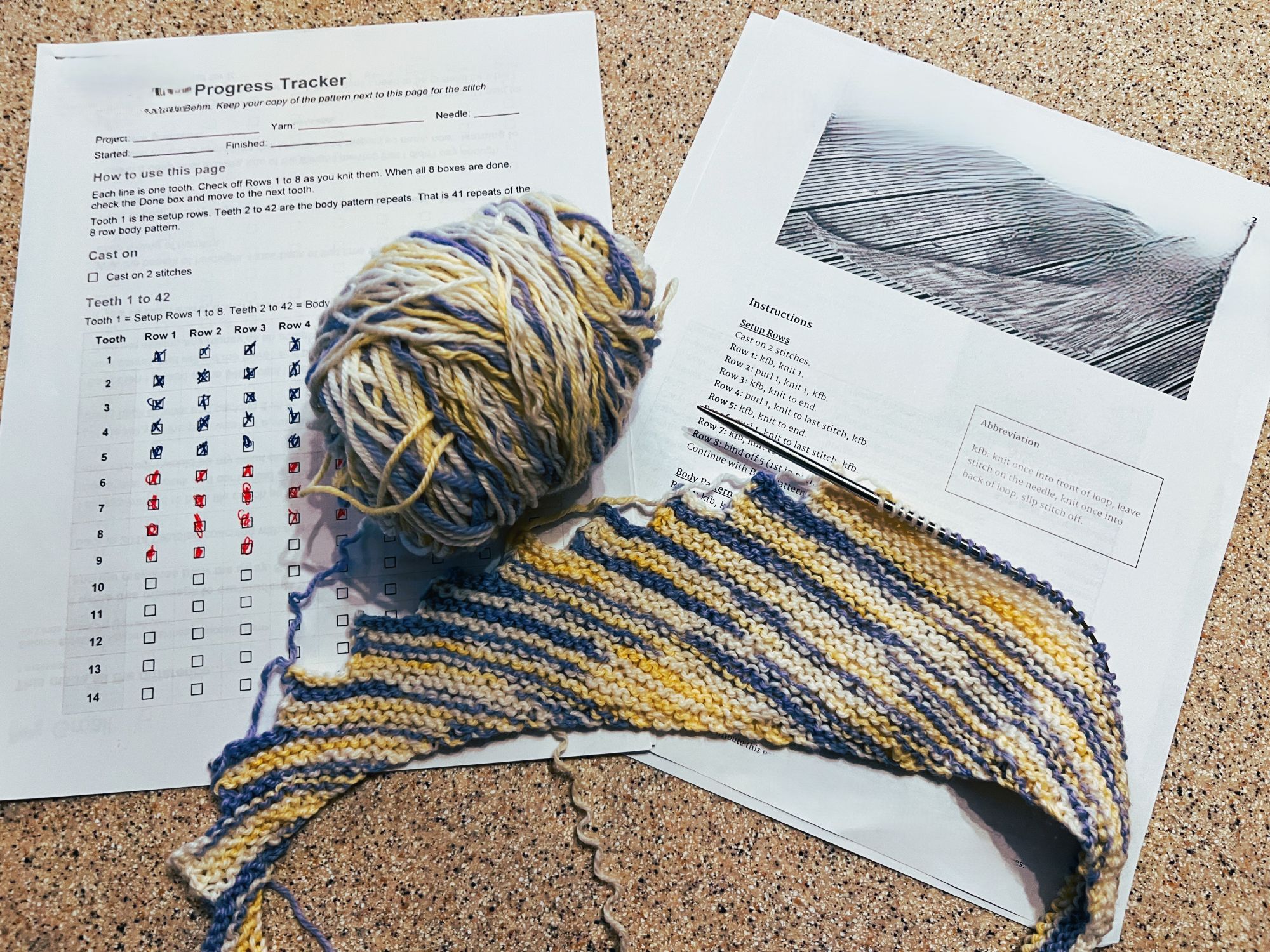
Here's one in use. A Where Was I? tracker next to the pattern it was built from. The pencil and pen checkmarks are mine.
Where Was I? is a tool. You bring the pattern.
You use a pattern you already own. Where Was I? never copies, reproduces or sells a designer's instructions, charts or designs. Your tracker provides short labels and the numbers for the size you're making. Nothing more.

It's a horrible feeling.
You finally found half an hour to work on your project. Then you spend 10 or 15 minutes trying to remember where you left off.
Or if you're like me, you have more than one project going. Maybe a week or three went by since you last worked on one of them. Which row was I on? Did I finish the decrease? Is this row 14 or 41? You can't make sense of the scribbled marks on your little sticky note.
Long patterns are even more of a challenge. Lace, colorwork, fitted sweaters, brioche.
You lose the scrap paper with your notes. The row counter gets bumped (or played with by little fingers). You can't remember what your mark on the paper pattern meant.
Having a check box for every row or round fixes it. You check the box. When you come back after a pause, you know exactly where you are.
A tool that builds a tracker from your own pattern.
Where Was I? reads your knitting or crochet pattern PDF.
You provide information about the size you want to make if there are different size options on the pattern. If you would like to make a size that isn't on the pattern, maybe smaller or larger, give Where Was I? that information.
The tool makes the necessary adjustments to the pattern and builds you a checklist with one box for every row or round of your project.
Three steps.
Your pattern in, your Where Was I? tracker out.
Give Where Was I? your pattern PDF
A downloaded pattern PDF works. So does a scan of a printed pattern. A scan of a printed booklet works too. Where Was I? reads it either way.
Answer a few quick questions
Pick the size you're making, your measurement preferences (inches or centimeters) and the format you prefer (printable document or clickable PDF). You'll answer these questions when you start the Where Was I? skill.
Get your tracker
Where Was I? builds your personalized row-by-row tracker from your uploaded pattern. It references your original pattern. You'll read and work from your pattern and mark your progress on your tracker (either printed or PDF).
Every row gets its own box.
Try it. Tap a box.
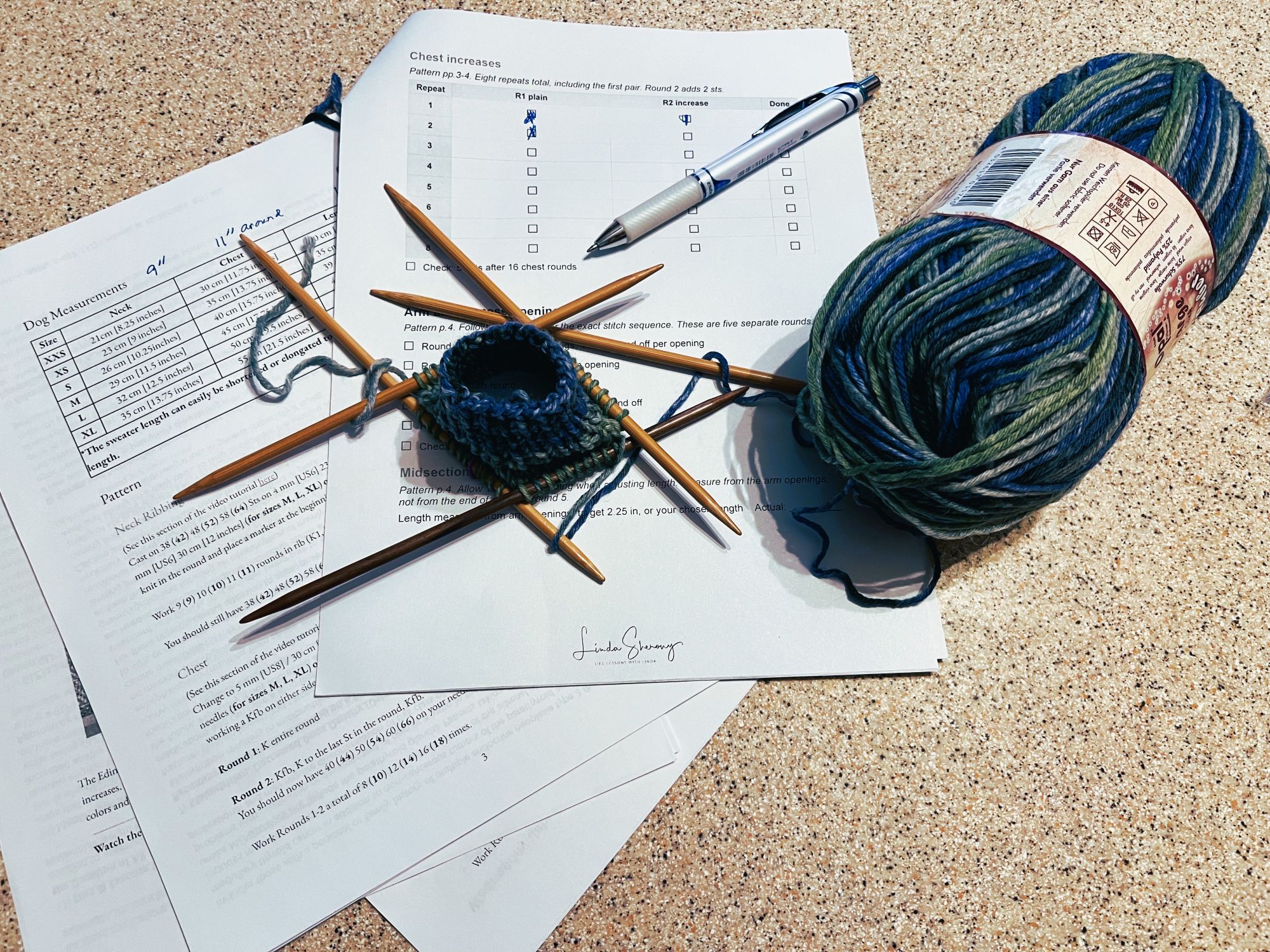
A real tracker, for a dog sweater knit in the round. The pen checkmarks are mine.
This is a sample layout. Your tracker uses short labels from your own pattern and the numbers for the size you pick.
Where Was I?, a tool to install and use.
You get the skill and the setup steps. You upload your pattern. The skill produces a tracker specific to your pattern. And there's a bonus for you!
- The Where Was I? skill. A zip file you add to Claude or ChatGPT. This is the tool that builds your trackers.
- Setup steps. Short and simple, so you can start the same day.
- Bonus: the Knitting Project Tracker. A free 13-page fillable or printable PDF for you to record all of the information about a project. More about it below.
What the skill creates for you
Give the skill a pattern and it builds a printable Word tracker, a clickable PDF tracker, or both. You choose inches or centimeters. Make as many as you like, for every pattern you own.
The numbers matched the patterns.
I checked this tracker against the pattern. The counts were right, and the mittens are done.
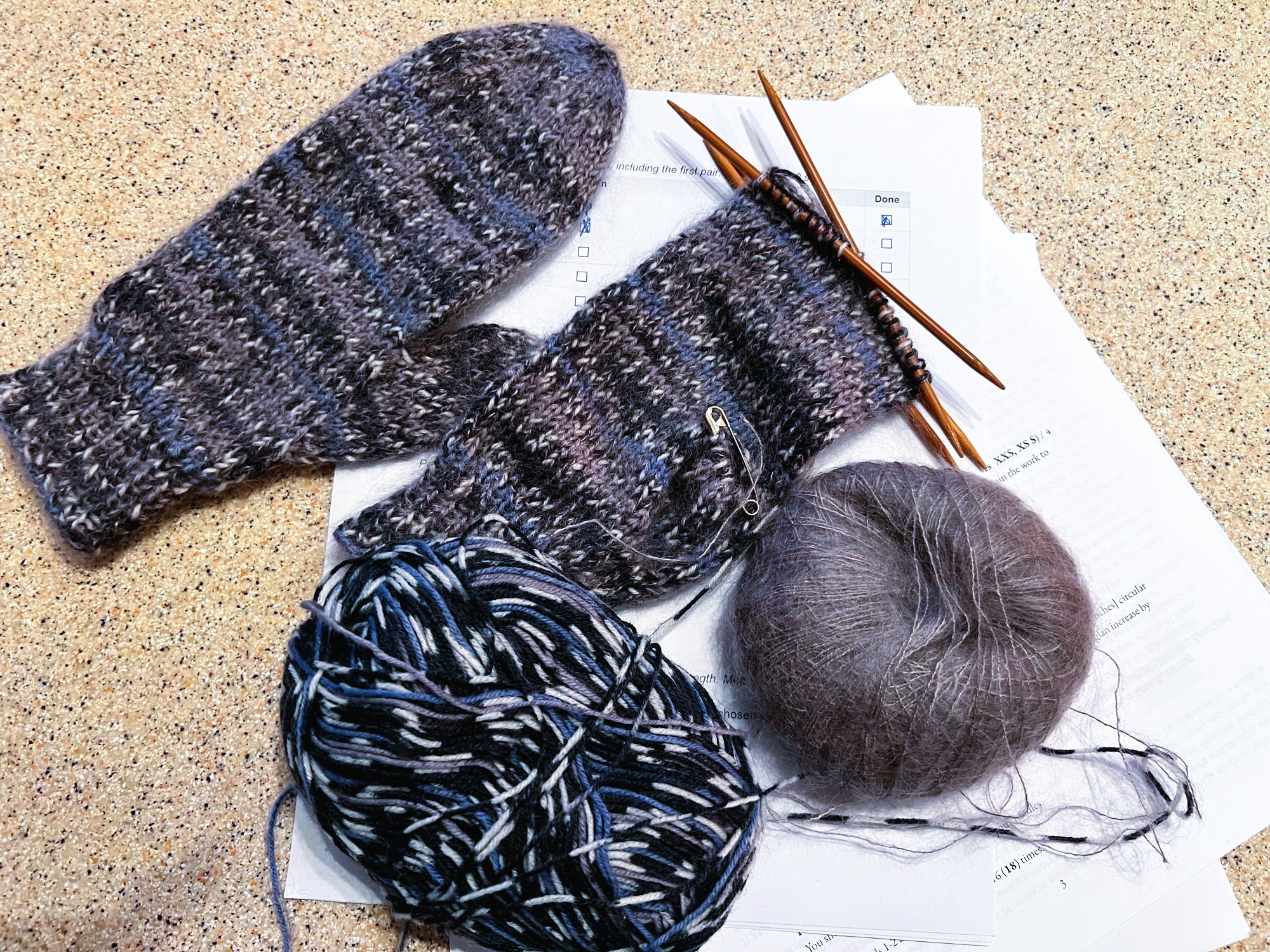
The mittens from the 131-box tracker, knit in the round. The checkmarks are mine.
I checked these trackers against their patterns too, and the counts were right. I'm only just starting on the sweater, slippers and socks, so those aren't finished yet.
I wanted a larger hat, so I needed to add 24 stitches to the pattern. Where Was I? added the 24 stitches and did all of the calculations needed for every row. No math on my end!
Most trackers print out at 4 to 8 pages. A longer pattern takes more pages.

Start tracking your next project.

One time. Use it on every pattern you own.
- The Where Was I? skill (zip file)
- Make printable Word and clickable PDF trackers from your own patterns
- Inches or cm
- Setup steps
Questions first? Write to [email protected]
The Knitting Project Tracker, free with your purchase.
Where Was I? keeps your place in the pattern. The Knitting Project Tracker is a separate PDF that keeps everything else about your project in one place.
It's a 13-page fillable PDF with pages for general projects, sweaters, socks, mittens, hats, and scarves.
Each project page has room for the yarn and needles you used, your gauge, what you changed from the pattern and notes to your future self. A session log on the back of every page records when you worked on it. An "All My Projects" page keeps every project in one place.
Type into it on your tablet or computer, or print it and write by hand.
Good to know before you buy.
Do I need to own the pattern?
Yes. Where Was I? works from a pattern you already have. It doesn't include any patterns, and it never sells or shares a designer's work.
Does the tracker copy my pattern?
No. Each row gets a short label and the numbers for your size. The designer's full instructions, charts and designs stay in the original pattern. You still knit from that.
Why not just use an app?
Apps keep your place on a screen, in their own way. Where Was I? gives you a plain checklist built from the pattern you own. Print it and toss it in your project bag, or tick the boxes on a tablet or phone. Setting it up takes a few minutes, once. After that you just give it a pattern.
What kinds of patterns work?
Where Was I? has been tested on mittens, a dog sweater, sweaters, socks, slippers, hats, shawls, and more. It reads and works with crochet or knitting patterns. Every pattern is written differently, so always check your tracker against your pattern before you start.
My pattern is a scan of a printed booklet. Will that work?
Yes. A scan is a picture of each page. Where Was I? can read those pictures, so a scanned pattern or a scanned booklet works.
My pattern has several sizes. What happens?
Where Was I? asks which size you're making and makes your tracker specific to that size.
What if my pattern only gives lengths, not row counts?
Where Was I? estimates the rows from your gauge. It labels those rows "go by inches" and tells you it's an estimate. Knit to the length in the pattern.
Can I use inches or cm?
Both. Where Was I? asks which you prefer when you start using it.
Can I print my tracker or use it on a tablet?
Both. Pick the printable Word tracker, the clickable PDF, or get both.
What do I need to run Where Was I?
You need Claude. Where Was I? works best there. I recommend Claude. Where Was I? works in the free version of Claude. It also works in ChatGPT. Expect longer answers there, and a few pattern warnings can get missed. Your setup steps walk you through adding it.
Your pattern. Your size. A box for every row.
Pick up your project on Sunday and know exactly where you left off.
Get Where Was I?Love what you do.
Make a difference.